

FlyCue GO
The GO button for your FlyCue shows.
A phone in your pocket that follows the cue stack, takes your GO, and keeps every other FlyCue device in step.
An accessory to FlyCue, not a second show.
FlyCue GO does not call your show. The stage manager calls it, over the cans, the way they always have. GO is the fly operator's end of that: the standby cue sitting in front of you, the moves on your bars with speeds and names against them, and one button to take it when the call comes.
Press it and the whole show moves on. The prompt corner, the rail, the wallboard in the wing and anyone watching on a laptop all land on the next cue together, in a fraction of a second. If two operators reach for GO on the same cue, only one of them takes it.
It is the same job Button Mode does in a browser, built properly for a phone: it survives the screen locking, it talks to a foot pedal, and it tells you loudly when it has lost the show.
Standby, the moves, and one button.
Sign in with your FlyCue account and your shows are already there, with your role on each one. Nothing to set up on the phone itself.
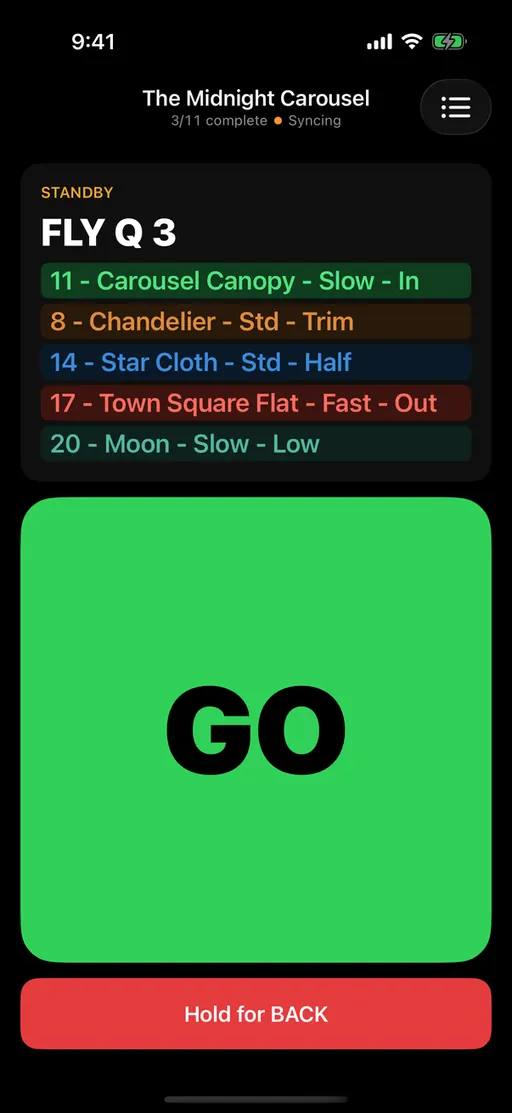
Button mode
The standby cue, its moves colour-coded, and a GO that fires on touch. BACK needs a hold.
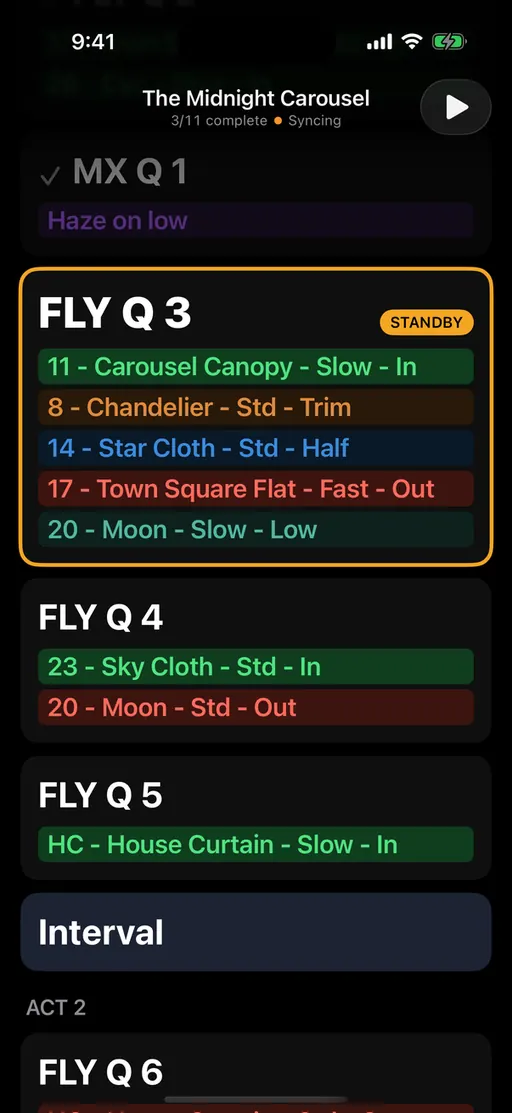
Cue list
The whole show in running order, following standby live as cues are taken.
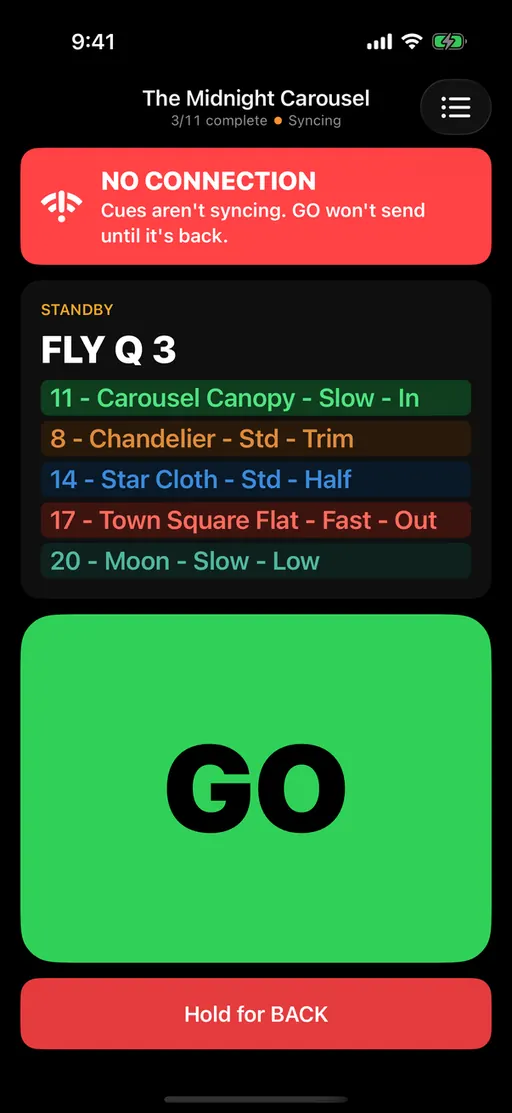
Connection warning
A red alert the moment it stops syncing, so you are never pressing a button that is doing nothing.
Sample show data. The Midnight Carousel is fictional.
Turn it on its side and it becomes a cue display.
In cue list mode, landscape gives you the cue number, the scene and the calling note, and a tile for every move on that cue. Big enough to read from the rail with the phone propped against something.
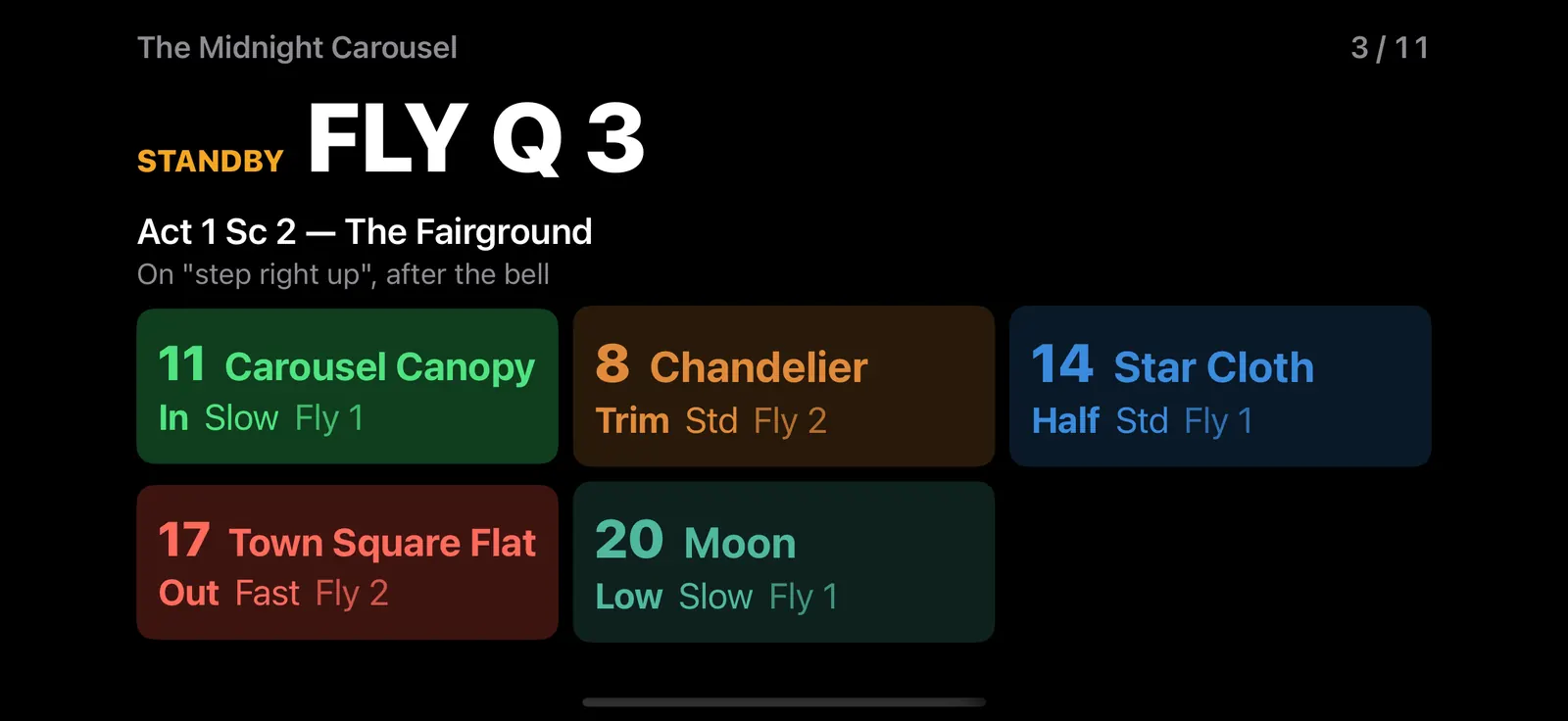
Sample show data.
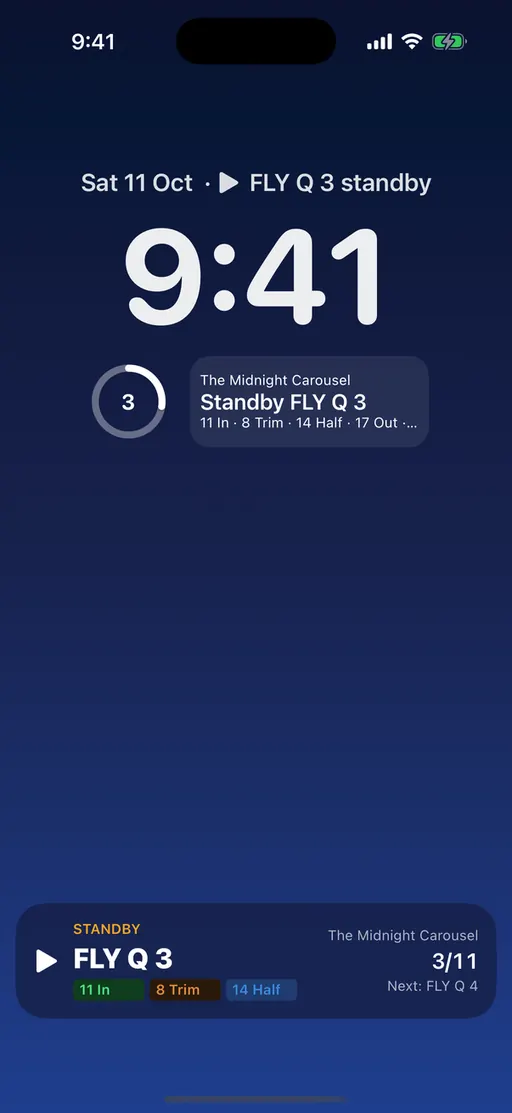
Standby at a glance, without opening the app.
A fly operator is not looking at a phone for two hours. The standby cue stays where you can see it anyway: inline, circular and rectangular widgets on the lock screen, the Live Activity underneath, and the cue number in the Dynamic Island.
All of it updated by push even with the app closed, and it clears itself 30 minutes after you leave. There are home screen widgets too, where GO opens the show rather than firing it, so a stray tap never takes a cue.
- Instant sync. Every GO from any device, web or phone, appears in a fraction of a second, with protection against two operators double firing a cue.
- Live Activity and Dynamic Island. The standby cue, its moves and its progress stay on the lock screen, updated by push even when the app is closed.
- Widgets. Small and medium on the home screen, plus rectangular, circular and inline on the lock screen.
- Foot pedal and Bluetooth GO. Any pedal, page turner or Bluetooth keyboard can take GO. BACK needs a second press, on purpose.
- Colour-coded tiles. In green, out red, deads amber, MX Qs purple, or the show's own custom colours.
- Built for the fly floor. Dark interface, the screen stays awake through a show, haptic feedback on every press, and a big red warning if the connection drops.
The things that matter at half past seven.
What you need
The app is free. There is no separate purchase and no charge per operator, the same as every other way of joining a FlyCue show.
What it needs is a show that syncs, so a Production, Season or House account. The Free tier deliberately has no cloud sync, so there would be nothing for the phone to follow. Whoever runs the show pays once; everyone on the crew can put GO on their own phone and join as an Operator for nothing.
iPhone is out now. Android is on the way, and Button Mode works in any phone browser in the meantime.
A note on calling
Nothing in FlyCue, GO included, replaces the person calling the show. There is no timer, no auto follow and no way for the system to decide a cue should happen.
GO records that a cue has been taken and moves the show on for everyone looking at it. The call still comes from the prompt corner.
Put the cue stack in your pocket.
Build the show in your browser, run it from the rail.